One of the more visually appealing aspects of iOS development is the crisp transition effect. Whenever you see a beautiful iOS app, it has all the elements interacting with each other seamlessly with gorgeous transitions and other visually appealing effects. If you have tried your hand at building one of these apps, you must have noticed that there are a couple of default options available, like flip or curl. But how do we go past this? How do we build all the fancy transition effects into our app? There are actually two different approaches you can follow. Continue reading “Transition Effects In iOS Apps”
Storyboards vs XIBs
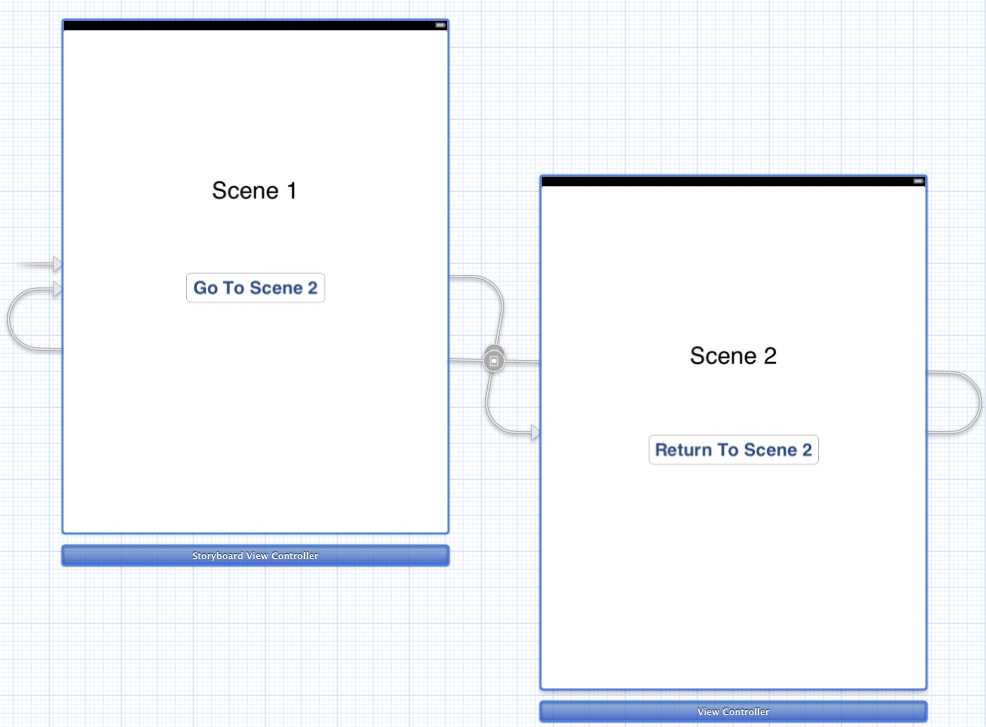 The concept of storyboarding was introduced by Apple in iOS 5. This was the first major deviation from using the interface builder to build iOS apps. Storyboards were created to help developers visualize the flow of the application. It is a lot like having a bunch of XIBs, but in a single file. You can also create custom transitions via code that will change dynamically if needed, much like you can with XIBs. But a lot of people who are new to iOS development get confused between XIBs and Storyboards. What should you use for your project? Does it matter one way or the other? Continue reading “Storyboards vs XIBs”
How To Set The Background Image For Your iOS App?
When you are designing your iOS app, you cant help but think about the aesthetics. You want to present your app in the best possible way. There are some things you cant ignore, like the icon, or the background, or the first screen. These are the things that tend to impact your app the most. Although the functionality is the most important part, a new user will not get there if you don’t make your app look aesthetically pleasing. A new user doesn’t know what your app does, so you should give the user a strong reason to keep going. The background image is one of the key aspects in your app. There are two ways of setting the background image. Continue reading “How To Set The Background Image For Your iOS App?”
How To Remove The Gloss From The iOS App Icon?
 Not a big fan of the glossy effect on your iOS app icon? Well, let’s remove it then. The glossiness in the app icons epitomizes the skeuomorphic design that Apple embraced a few years ago. When it first came out, it was all new and exciting. Apple is now moving to a flat design with iOS 7, and besides, some icons just don’t look good with the gloss. As far as removing the glossiness is concerned, there are basically two ways to do this. Well, actually the same thing happens under the hood, one is basically a shortcut for the other. Let’s see how to to do it. Continue reading “How To Remove The Gloss From The iOS App Icon?”
Random Number Generators In Programming
If you have fiddled around enough with C/C++/Objective-C, you must have noticed that if you use rand() function on its own, it gives the exact same numbers every time. Now how is that possible? Isn’t rand() function supposed to generated completely random numbers in a given range? The reason for this has something to do with the seed value. If you use the same seed value every time, then you will get the same numbers. Continue reading “Random Number Generators In Programming”
Expected Expression Error
You tried to declare a variable after a ‘case’ statement and it showed an error. If that’s the reason you are here, then read on. This must actually be surprising to most people familiar with C++ programming because C++ allows us to declare variables almost anywhere in the program. In fact, declaring them close the first use is actually a good practice. So why can’t you declare variables after a case label in a switch statement? Continue reading “Expected Expression Error”
How To Convert iPhone XIB To iPad XIB?
So you started a universal iOS app and finished up everything on the iPhone XIB. Now it’s time to do the iPad XIB. But wait a minute, do we have to redo the whole thing? Isn’t it repetitive and tedious to all the mappings and connections all over again? The good thing is that there is a way around it. You only need to do minimal work to get your iPad XIB up and running on Xcode 4. Continue reading “How To Convert iPhone XIB To iPad XIB?”
How To Change The Name Of Your iOS App In Xcode?
So you started your app with some silly name and it actually grew into a good project. Now how should we change this name into something more meaningful without Xcode going bonkers over some weird compiler error? Luckily, Xcode has a provision for that. Using Xcode 4.x, we can just do a simple thing and make the whole thing work like a charm. Before doing anything, you have to decide if you just want to change the name as it appears on the iPhone screen or if you really want to change the entire naming structure. If you just want to change the name as it appears to a user, you can change the name of your bundle and you will be all set! Continue reading “How To Change The Name Of Your iOS App In Xcode?”
EXC_BAD_ACCESS Problem In Objective-C
 So you finally stumbled upon this error. If you have been working with Objective-C, this is bound to happen. When you release the memory of an object that has already been released, and then try to go back to your previous UIViewController, you will encounter this error. One of the possible reasons could be that you must be using Automatic Reference Counting (ARC) in your project. ARC was a new feature introduced in iOS 5.0 to take care of memory management. This is a very useful feature, but it can also cause errors if you don’t understand what’s happening under the hood. Continue reading “EXC_BAD_ACCESS Problem In Objective-C”
Why Do We Need CocoaPods?
 Linker errors are painful to deal with. When we are working on our Xcode projects and when we almost done with everything, these linker errors pop up to make their point! Even if we can see the libraries right there in the GUI, it still can’t find that library. Sounds familiar? Why do we have to set linker flags in more places? Wouldn’t it be easier if you could just start developing your project without having to worry about these things? Say hello to CocoaPods! CocoaPods is a library dependency manager for Objective-C projects that solves all these issues. CocoaPods is a ruby gem that downloads all the third party libraries you want for your project, and links everything so that you don’t have to. Continue reading “Why Do We Need CocoaPods?”
 Perpetual Enigma